What Is a No-Code Custom Scanner Builder?
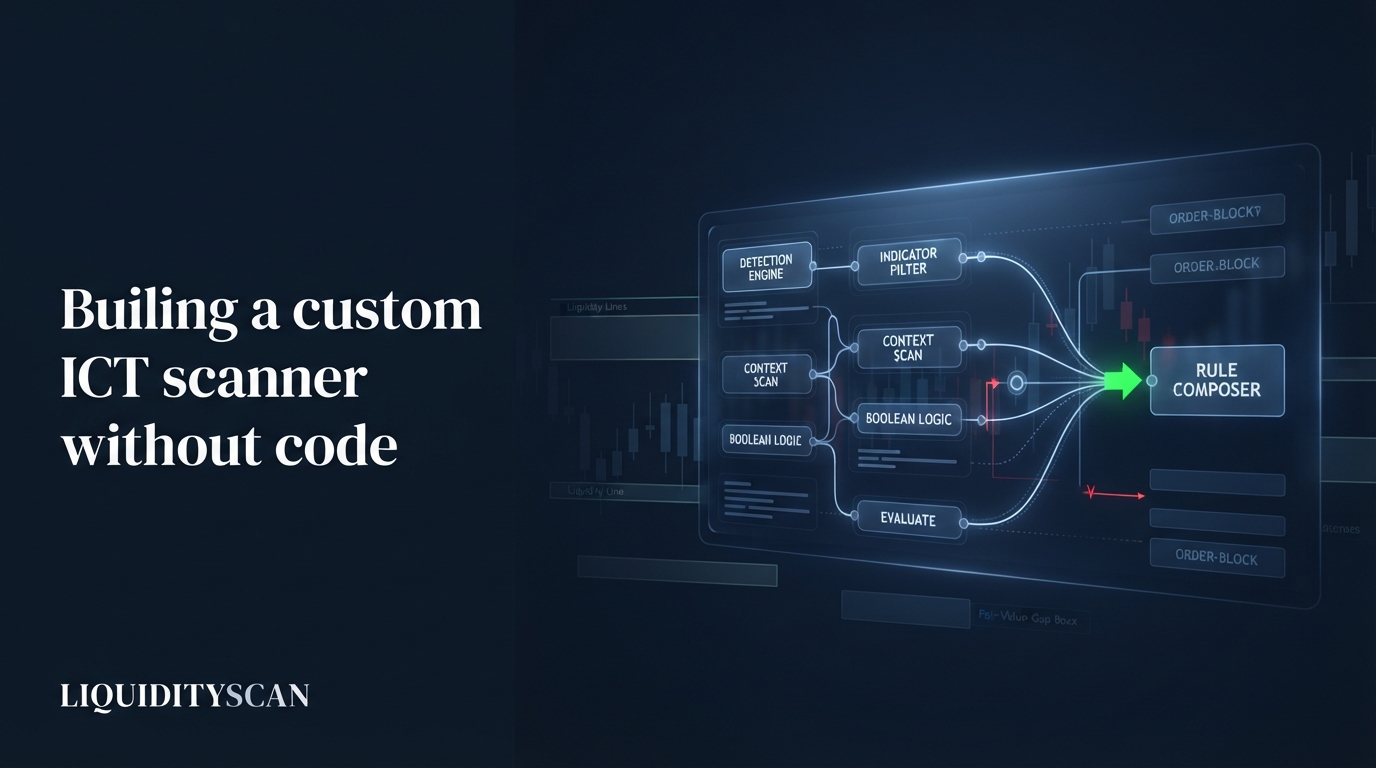
A custom scanner builder is a no-code tool that combines detection engines, indicators, and context filters into one logical condition. You pick the parts, join them with AND/OR, and the platform scans every eligible market, alerting you only when your exact rule matches.
The difference from a fixed scanner is control. A stock scanner ships one author's definition of a setup. A builder hands you the primitives and lets you assemble the definition you actually trade. In LiquidityScan this surface is the Scanner Studio, and the shared Confluence catalog is simply a set of Studio scanners published for everyone.
Why Every Trader's Edge Needs One
No two consistent traders scan for the same thing. One waits for a Change of Character (CHoCH) on the 1H, then a strong order block retest inside the London kill zone. Another wants a higher-timeframe liquidity sweep and reclaim, but only on names doing real volume. These are not different indicators; they are different combinations of the same blocks.
A fixed scanner cannot capture that. It fires on its one pattern and forces you to eyeball the rest of your confluence by hand across hundreds of charts. The gap between "a pattern printed" and "my full setup is present" is exactly where a custom scanner builder earns its place: it encodes the whole checklist, not one line of it.
That matters most on the days you are away from the desk. A single fixed alert for "CHoCH on 1H" will buzz your phone dozens of times, and almost none of those flips are your trade, because your trade also needs the retest, the session, and the volume.
Encoding all of it means the alert you finally get is pre-qualified. The marginal cost of being alerted then approaches the value of the setup itself, rather than a chart you still have to fully vet.
- Specificity: your edge is usually 3-5 conditions stacked, not one.
- Coverage: a rule scans the whole market at once; your eyes do not.
- Discipline: a codified rule fires the same way every time, removing the wishful pattern-matching that ruins discretionary scanning.
- Backtest-alignment: a written rule is one you can reason about and refine deliberately, instead of a fuzzy "I know it when I see it."
What You Can Combine Into One Rule
The power of a no-code builder is the breadth of parts it exposes. In the Scanner Studio a single rule can draw from three families, joined by boolean logic.
Detection engines are the pattern legs: Super Engulfing, OB+ / OB++ strong order blocks, Market Structure (BOS / CHoCH), the Liquidity Sweep reversal, Pulse's RSI-confluence filter, Core Layer alignment, and the rest of the scanner roster. Each engine is a checkbox condition, not a script.
Indicators add classic technical gates: RSI, EMA, SMA, volume, ATR, and percent-change. You use these to qualify an engine leg, for example requiring RSI below a threshold when a bullish pattern fires.
Context filters constrain where and when the rule may fire: ICT kill zone, trading session, asset class (crypto vs TradFi), a 24-hour volume floor, and day-of-week. These do not detect anything; they decide which candidates survive.
The distinction between the three families is what makes the rule readable. Engines answer "what happened," indicators answer "under what technical condition," and context filters answer "where and when it counts." A rule that borrows from all three tends to describe a genuine setup; a rule built from engines alone often describes a pattern that prints everywhere.
| Building block | Role in the rule | Examples |
|---|---|---|
| Detection engines | The pattern legs that must be present | OB+, CHoCH, Liquidity Sweep, Super Engulfing |
| Indicators | Qualify or gate a leg | RSI, EMA, SMA, volume, ATR, %-change |
| Context filters | Restrict where/when it may fire | Kill zone, session, asset class, volume floor, day-of-week |
How to Build a Custom Scan, Step by Step
Building a rule in the custom scanner builder is a sequence of choices, each one narrowing what qualifies. Here is the order that keeps a scan coherent.
1. Pick your engine legs and the join
Start with the patterns that define the setup. Say your model is an order block retest that only matters after structure has flipped: select OB+ and Market Structure CHoCH, joined with AND. Now both must be true on a symbol for it to match. Use OR when any of several patterns should qualify a candidate.
2. Add context filters
Constrain the universe. Add a kill-zone filter so the rule only fires during the London window, and set a 24-hour volume floor, for example only names above $20M, so illiquid pairs never surface. Session, asset class, and day-of-week work the same way.
3. Choose event vs holds-now per engine
Each engine leg is read in one of two modes. Event means the pattern must have just fired on the latest closed candle, a fresh trigger. Holds-now means the condition is currently true regardless of when it printed, a standing state. A CHoCH is usually an event; an active bias or an unmitigated zone is usually a holds-now.
3a. Add a higher-timeframe wrapper
You can wrap any leg so it is evaluated on a higher timeframe than the rest of the rule. This is how you encode top-down logic in one scan: a 4H bias leg wrapping a 1H entry leg lets the rule demand higher-timeframe agreement before it ever fires on the entry pattern.
4. Enforce direction agreement
Turn on direction-agreement enforcement so every leg must point the same way. Without it, a bullish CHoCH could match alongside a bearish order block and produce noise. With it on, the rule only fires when the whole stack is bullish or the whole stack is bearish, which is what real confluence means.
Sequence Rules: The Ordered Playbook Advantage
Most scanners, custom or not, check whether conditions co-occur. The standout capability of a serious builder is the sequence rule, where legs must fire in a specific order over time, each step after the previous one closes.
Consider the classic reversal read: a CHoCH signals a structure flip, and only then do you want the order block forming in the new direction to be tapped. Co-occurrence logic cannot express "then." A sequence rule can: leg one is the CHoCH, leg two is the OB+ tap, and it only matches a symbol where the tap happened after the CHoCH.
This mirrors how ICT playbooks are actually written. Sweep, then shift, then entry. Bias, then displacement, then retrace. Ordered rules turn a multi-step playbook into one scannable condition, which is something a stack of separate alerts cannot do because they carry no memory of order.
Ordering also cuts false positives that co-occurrence quietly lets through. On a single candle, during a choppy range, a symbol can print a bullish order block and a bearish structure read almost together, and a co-occurrence rule may still match it.
A sequence rule that demands the flip first and the tap after refuses that mess, because the two legs never lined up in the order your playbook requires. The result is a smaller, cleaner match set that reflects a real progression of price, not a coincidental overlap.
A Worked Example (and What the Scanner Won't Do)
Suppose you trade London-session reversals on liquid crypto. Your codified rule in the builder might read:
- Leg 1 (sequence, step one): Market Structure CHoCH on 1H, event mode, bullish.
- Leg 2 (sequence, step two): OB+ tap on 1H, holds-now, must fire after leg 1.
- HTF wrapper: 4H bias leg required bullish, so the flip agrees with the higher timeframe.
- Context: London kill zone only; 24-hour volume above $20M; crypto asset class.
- Direction agreement: on, so every leg is bullish.
Once saved, this scan runs market-wide each hour on closed candles and pushes you a match the moment a symbol satisfies the full ordered rule, delivered as a web or native push and an in-app alert. You judge the candidate from the alert; you are not opening 300 charts to find it.
Be clear about what this is and is not. The builder finds candidates that match your rule. It does not predict that the trade will work, it does not publish a win rate, and it does not place orders. A match is "my conditions are present," nothing more.
The quality of your results is bounded entirely by the quality of the rule you wrote. A vague rule surfaces vague candidates, and no engine can fix a poorly specified edge.
The Scanner Studio is also currently an admin-facing surface, while its published output reaches everyone through the shared Confluence catalog. In practice the DIY builder itself is not yet open to every account, but the setups it produces are already live.
Each Confluence entry, including the ordered sequence playbooks, is a Studio scanner published globally. So the honest read is that you consume builder output today through the catalog, and a self-serve version is the natural next step for the surface.
Mistakes That Kill a Custom Scan
Two failure modes account for most useless scans, and both come from misusing the freedom a builder gives you.
Over-filtering to nothing. Every AND leg you add shrinks the match set. Stack six engines, three indicators, a kill zone, and a day-of-week filter, and you can build a rule that has not fired this year. If a scan returns zero for days, remove the least essential leg and widen a threshold. A rule that never fires teaches you nothing.
Fake confluence. Legs that all measure the same thing are not confluence; that is redundancy dressed as rigor. An RSI-oversold gate on a bullish-momentum engine that already requires a strong up-close is the same signal twice. Genuine confluence stacks independent reads: structure, a zone, a timing window. Direction agreement and an HTF wrapper give real independence; three momentum legs do not.
- Start narrow on engines, wide on thresholds; tighten only after you see the match rate.
- Prefer one strong context filter (kill zone or volume floor) over five weak ones.
- Use sequence order to add rigor instead of piling on co-occurring legs.
Frequently Asked Questions
Do I need to know how to code to build a custom scanner?
No. A no-code builder exposes engines, indicators, and filters as checkboxes and dropdowns joined by AND/OR logic. You compose the rule visually and save it. There is no scripting language to learn, which is the entire point of a custom scanner builder versus writing your own detection code.
How often does a custom scan run?
In LiquidityScan the Scanner Studio evaluates saved rules market-wide each hour, always on confirmed closed candles so results do not repaint. When a symbol satisfies your rule you get a push alert on web or native plus an in-app notification, rather than needing to watch the feed yourself.
What is the difference between event and holds-now mode?
Event mode requires the pattern to have just fired on the latest closed candle, a fresh trigger. Holds-now mode requires the condition to be currently true regardless of when it printed, a standing state. Structure breaks are usually events; an active bias or an unmitigated zone is usually a holds-now condition.
Can a custom scanner tell me when to buy or sell?
No. It surfaces candidates that match your defined conditions; it does not issue trade calls, guarantee outcomes, or compute a win rate. Most engines output a pattern or zone, not an entry, stop, and target. Treat every match as a filtered starting point for your own analysis, not a signal to act.
Related query paths
Work outward from the builder to the engines it composes and the workflow it fits into.
- How the LiquidityScan Scanner Works — see the raw-candle-to-setup pipeline your rules run on top of.
- Order Block Scanner: Real-Time OB & FVG — the engine legs you drop into a custom rule, explained.
- ICT Top-Down Analysis: Multi-Timeframe Alignment — the logic behind the higher-timeframe wrapper you add per leg.
- How to Find Your Edge in ICT Trading: A Framework for Specialization — define the condition set worth encoding before you build it.
- Build a Complete ICT Trading Model — turn a scannable rule into a full entry, stop, and management plan.
- Best ICT Scanner: How to Choose — where a custom builder fits against fixed scanners.
- Scanner, Pulse and Core Layer: The Three LiquidityScan Surfaces — a related angle on scanner pulse core layer.