What Is the LiquidityScan Platform?
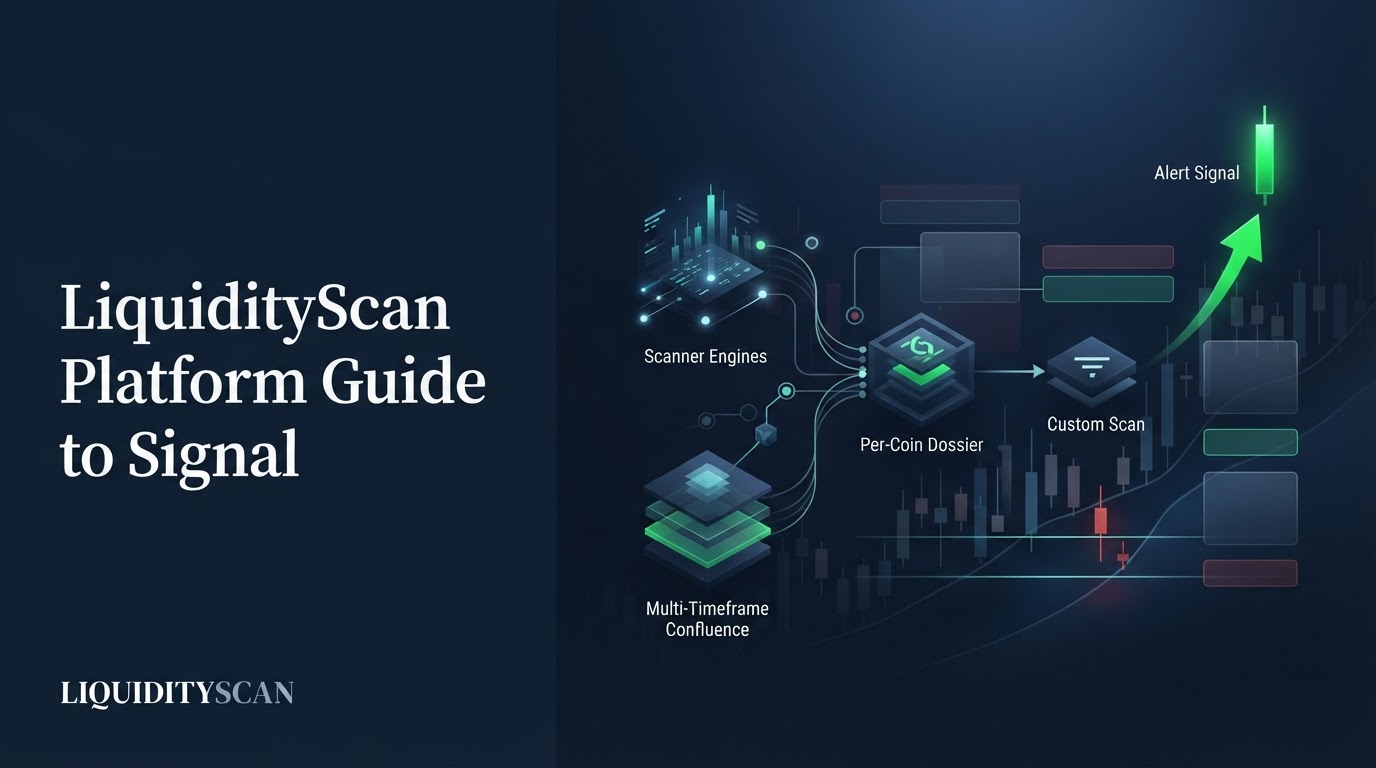
LiquidityScan is a real-time market scanner for crypto and TradFi that detects ICT and Smart-Money-Concept patterns on closed candles only, then surfaces them as browsable signals, multi-timeframe confluence, per-coin dossiers, and custom scans with push alerts. It is an analysis tool, not a signal service.
This platform guide is the umbrella map. A separate definition post already answers "what is LiquidityScan" at the concept level; here the goal is different — to show every surface, how they connect, and the end-to-end route from a raw setup to a signal you decide on.
Because detection runs on confirmed candles and drops the live forming bar, signals do not repaint after the candle closes. That single design choice is what makes everything downstream — the confluence stacks, the dossiers, the alerts — trustworthy enough to act on, because a card never rewrites its own history once its candle prints.
The Scanner Suite: The Detection Engines
The core of any LiquidityScan platform guide is the scanner suite — a set of independent engines, each detecting one well-defined ICT or SMC pattern on confirmed candles. You browse them as feed cards; each card carries the geometry that triggered it. The engines:
- Super Engulfing — momentum engulfing candles in RUN (continuation) and REV (reversal) flavours, with stronger "+" variants. It is the one base engine that ships a full entry / stop / TP1–TP2–TP3 ladder built on fixed 1:1.5, 1:2, and 1:3 geometry (not predictions).
- ICT Bias — a directional read: bullish when the last close breaks the prior candle's high, bearish below its low, ranging inside. A bias, not a trade.
- CRT (Candle Range Theory) — a liquidity sweep where a wick takes the prior high or low but the body closes back inside, graded strong / weak / failed.
- 3OB — a three-bar order-block pattern that breaks the middle candle's extreme (hourly timeframes).
- CISD — a change in state of delivery, i.e. a market-structure shift with a resulting fair-value gap, flagged "High-Prob" inside the New-York AM window.
- RSI Divergence — classic price-versus-RSI divergence from oversold or overbought, using Wilder RSI(14).
- OB+ / OB++ — a liquidity-confirmed strong Order Block: the last opposite candle before an impulse that takes buy- or sell-side liquidity, upgraded to OB++ on displacement of 1.5× ATR or more.
- FVG+ / FVG++ — a Fair Value Gap (FVG) graded by how deeply it nests inside same-direction higher-timeframe gaps; only the nested grades are surfaced.
- Market Structure — BOS (continuation) and CHoCH (reversal) at major and minor resolution, with a Simple mode and an ordered Sequence mode.
- Liquidity Sweep → Reversal — the failed-sweep stop-run: higher-timeframe liquidity is taken, then a lower-timeframe CRT or Super-Engulfing reclaims the level.
- Asia Range Sweep — the Asian-session model: sweep the overnight range against the daily bias, then reclaim in the bias direction (crypto only).
Each engine has its own timeframes and lifecycle. Some grade themselves as they play out — CRT resolves strong, weak, or failed on the next candles; ICT Bias validates on the next body close — while others, like CISD and Market Structure, simply render structure without a win/loss verdict.
None of them promises the trade works; several — the OB and FVG scanners in particular — surface a zone and its retest, not an entry, stop, or target. Two related engines, RSI Levels and CISD + IFVG, also ship as building blocks you can wire into confluence.
How Confluence Turns Signals Into Context
A single engine firing is a data point. The platform's confluence layers are where a LiquidityScan platform guide gets useful, because they stack independent evidence into one direction.
Core-Layer is the multi-timeframe alignment engine. It folds live Super Engulfing, CRT, and ICT Bias signals into chains where the same direction lines up across timeframes — for example Weekly, Daily, and 4H all bullish. It prunes temporally incoherent stacks so a stale weekly cannot pair with a fresh daily, and it needs at least two aligned timeframes to classify an anchor.
The Confluence catalog is a shared, logged-in feed of directional setups that only fire when the timeframes agree. It has three tiers: Dual (two confirmations), Triple (three), and Sequences — ordered playbooks where each leg must fire after the previous one, such as "CHoCH → OB+ tap."
Each setup shows its ordered recipe, live bull and bear counts, and marks dead setups as "Expired." The catalog is read-only; you build your own private scans in the Studio.
The Command Surfaces: War Room, X-Ray, Studio, Pulse
On top of detection sit four surfaces that reorganize the same data for different jobs.
War Room
A per-pair trade cockpit. Pin a pair, take a macro-suggested bias you can lock, and work top-down (Macro 1M/1W → Mid 1D → Micro 4H/1H/15m) until an aligned entry fires.
It aggregates existing engine data read-only — no new detection — into state chips, a direction-filtered entry watchlist, an alignment meter, a derived trigger ladder, an optional per-case push alert, and a manual journal. It does not place orders.
X-Ray
Type a symbol and get a live per-coin dossier that pulls everything the platform already knows about one coin into one page: price and volume stats with a killzone chip, an interactive chart plus a multi-timeframe grid, a Verdict & Bias card, and a Signals section showing every active setup across all engines as cards whose mini-charts draw the real geometry.
It is a read-and-aggregate layer with no detection engine of its own, and it is free for now — the fastest way to go from a ticker to a full picture of one coin.
Scanner Studio
A no-code rule builder (currently admin-facing) that combines any engine with indicators (RSI, EMA, SMA, volume, ATR, percent-change) and context filters (killzone, session, asset class, volume floor, day-of-week) into one AND/OR rule, evaluated market-wide each hour with push alerts. It supports higher-timeframe wrappers, an event-versus-holds-now mode, direction-agreement enforcement, and ordered sequence rules. The Confluence catalog setups are Studio scanners published globally.
Pulse
A quality filter, not a new pattern. Pulse re-filters existing base-scanner signals and only passes those that also show RSI(14) confluence on the same timeframe, in a Standard and a stricter ★ Strict mode, with an optional Kill Zone toggle. It is direction-matched — oversold conditions pass longs only.
AI Agent and Daily AI Brief
A full-page, tool-using AI assistant answers with live data pulled from the scanner and can take account actions like managing your watchlist or alerts. Its anti-hallucination posture is strict: every factual claim must come from a tool call — it cannot invent prices, signals, or links, and access is gated per user.
Separately, three automated Daily AI Briefs — Asia, London, New York — summarize active signals and BTC context per session, so you get a written read on each session's setups without opening a single feed.
Markets, Alerts, and Plans
Coverage spans USDT-margined Binance Futures crypto perpetuals, Binance TradFi perps (stocks, metals, energy, ETFs), and roughly 150 Hyperliquid TradFi markets, split into a global Crypto-versus-TradFi mode. The signal lists hard-filter any pair trading under $20M in 24-hour quote volume so illiquid names never appear — TradFi names are exempt from that floor.
Alerts are delivered by browser Web Push, native Android push, and an in-app bell and toast; iOS uses the same device registry. Telegram signal delivery was removed — Telegram now exists only as a community-invite link, not an alert channel. Plan tiers gate depth rather than the base engines; every tier scans all pairs and all base strategies:
| Tier | What it broadly unlocks |
|---|---|
| Free | Full signal feed on higher timeframes; no alert pairs. |
| Starter | A small alert-pair allowance and larger watchlist. |
| Base | More alert pairs and deeper confluence access. |
| Pro | Intraday timeframes (30m/15m/5m), unlimited alert pairs, War Room alerts and journal, custom scans, AI Assistant. |
| Founder | A one-time tier with Pro-level access. |
Pricing was in transition through mid-2026, so treat the gates above as directional and check the live pricing page before relying on any exact number or per-tier limit.
From Setup to Signal: The End-to-End Workflow
The reason to read a LiquidityScan platform guide is the workflow, and it is deliberately short: scan → add context → alert → your judgement → execute on your own platform.
- Scan. Start on the Scanners hub or a specific engine feed. Say a Daily OB+ fires on BTCUSDT after an impulse takes buy-side liquidity above a prior swing high — the card draws the zone.
- Add context. Open X-Ray for BTCUSDT, or check Core-Layer, to see whether the higher timeframes agree. If Weekly and Daily bias both read bullish and a Confluence sequence like "CHoCH → OB+ tap" is live, the single card now sits inside a story.
- Alert. Rather than watch the chart, set a push alert on the pair, or build a Studio rule ("OB+ on 1D AND RSI confluence AND New-York killzone") so only the exact condition pings you.
- Your judgement. When the retest alert arrives, you decide. The platform has surfaced a zone and its context; it has not told you to buy. You size the risk, place the stop, and pick the target yourself — War Room's derived trigger ladder is a starting geometry, not an instruction.
- Execute and journal. Trade on your own exchange, then log the real fill, R, and P&L in the War Room journal so your record reflects actual outcomes, not the platform's internal lifecycle labels.
That loop is the whole product in one line. Every surface above is just a faster way through one of those five steps.
What LiquidityScan Does Not Do
An honest platform guide is as much about limits as features. LiquidityScan does not publish win rates, accuracy percentages, or profit figures — the WIN/LOSS labels on some engines are internal lifecycle bookkeeping, not a performance stat. It is not a signal service and does not issue buy or sell calls; most engines do not even output an entry.
It never connects to your exchange to trade, has no auto-trading, copy-trading, or portfolio management, and makes no guarantees. It is analysis and education tooling, not financial advice, and you remain the decision-maker on every trade.
Who the LiquidityScan Platform Is For
The platform fits traders who already work in the ICT and SMC framework — order blocks, fair-value gaps, liquidity sweeps, market structure — and want to stop hand-scanning hundreds of charts. It suits top-down traders who value confluence, part-time traders who need alerts to replace screen time, and anyone who wants their manual read cross-checked by a repeatable, no-repaint engine.
It does not fit anyone looking to be told exactly what to buy. Used as intended, this LiquidityScan platform guide describes a workspace that finds and organizes setups so your judgement is spent on decisions, not detection.
Frequently Asked Questions
Does LiquidityScan tell me when to buy or sell?
No. It detects ICT and SMC patterns and organizes them into confluence and dossiers, but it does not issue trade calls. Most engines surface a bias, a zone, or a structure event rather than an entry, and the risk, stop, and target decisions are always yours.
Do the signals repaint or disappear later?
No. Every engine detects on confirmed, closed candles and drops the live forming bar, so a signal is stable once its candle closes. Detection is re-derived each scan and is idempotent, which keeps the feed consistent rather than shifting after the fact.
Do I need a paid plan to use it?
No. The Free tier scans all pairs and all base strategies on higher timeframes, and X-Ray is currently free. Paid tiers unlock depth — intraday timeframes, more alert pairs, custom scans, War Room extras, and the AI Assistant. Check the live pricing page for current limits.
How do alerts reach me now that Telegram is gone?
Alerts arrive through browser Web Push, native Android push (FCM), and an in-app bell and toast, with iOS on the same device registry. Telegram signal delivery was removed; the remaining Telegram link is only a community invite, not an alert channel.
Related query paths
Follow these in order — from the plain definition, through how detection works, into applying the platform day to day.
- What is LiquidityScan? — the concept-level definition this guide builds on.
- How the LiquidityScan Scanner Works — the path from raw candles to a detected setup.
- Is LiquidityScan Reliable? — how detection is validated and why signals do not repaint.
- Order Block Scanner: Real-Time OB & FVG — the OB and FVG engines in practice.
- LiquidityScan vs Manual Scanning — the time-and-coverage case for automating the scan.
- LiquidityScan Pricing Explained — what each plan tier actually unlocks.
- The LiquidityScan Daily AI Brief: Your Asia, London and NY Pre-Market Edge — a related angle on liquidityscan ai brief.
- Inside the War Room: Building a Trade Case Per Pair — a closely related surface to explore next.
- The X-Ray Analyzer: A Full Per-Coin ICT Dossier in One Click — a closely related surface to explore next.